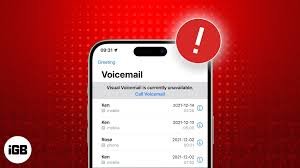
Visual voicemail on iPhone has completely changed the way users manage voice messages. Instead of dialing into a voicemail system and listening to messages one by one, Apple’s visual voicemail feature lets you see, select, and play messages directly from your screen.
If you’re using an iPhone, this feature can save time, improve organization, and make voicemail management far more efficient.
What Is Visual Voicemail on iPhone?
Visual voicemail on iPhone is a feature that displays your voicemail messages in a list format inside the Phone app. You can:
- See who called you
- View the time and date of each message
- Play messages in any order
- Delete or save voicemails instantly
Unlike traditional voicemail, there’s no need to call a number or follow voice prompts.
How Visual Voicemail on iPhone Works
Visual voicemail works by connecting your iPhone to your carrier’s voicemail server. When someone leaves a message:
- The message is stored on your carrier’s system
- Your iPhone downloads the voicemail data
- Messages appear in the Voicemail tab of the Phone app
Some carriers also provide voicemail transcription, converting voice messages into readable text.
How to Set Up Visual Voicemail on iPhone
Setting up visual voicemail on iPhone is simple:
- Open the Phone app
- Tap on the Voicemail tab
- Tap Set Up Now
- Create a voicemail password
- Record a greeting (default or custom)
Once completed, your voicemail inbox will be ready to use.
Key Features of Visual Voicemail on iPhone
1. Easy Message Access
You can tap any message and listen instantly without navigating menus.
2. Voicemail Transcription
Some iPhones show text versions of messages, helping you read instead of listen.
3. Message Management
- Delete unwanted voicemails
- Save important messages
- Share voicemails via email or apps
4. Custom Greetings
Record a personalized greeting for callers.
Benefits of Using Visual Voicemail on iPhone
Using visual voicemail on iPhone offers several advantages:
- Saves Time: No need to listen to every message
- Improves Productivity: Quickly prioritize important calls
- User-Friendly: Simple and intuitive interface
- Better Organization: Messages are neatly listed and manageable
Common Issues and Fixes
Sometimes visual voicemail may not work properly. Here are quick fixes:
- Ensure your carrier supports visual voicemail
- Check your internet connection
- Restart your iPhone
- Update iOS to the latest version
- Reset voicemail password if needed
If problems continue, contacting your mobile carrier is the best option.
Is Visual Voicemail Free?
Visual voicemail availability depends on your carrier. While some providers include it for free, others may charge a small monthly fee—especially for transcription services.
Final Thoughts
Visual voicemail on iPhone is a powerful feature that simplifies how you handle voice messages. With easy navigation, message previews, and transcription capabilities, it’s a must-use tool for anyone looking to save time and stay organized.
For professionals and everyday users alike, mastering this feature can make communication more efficient—something that aligns perfectly with the productivity focus of The Daily Business.